
THE EVERYDAY ADVENTURER01 / 03
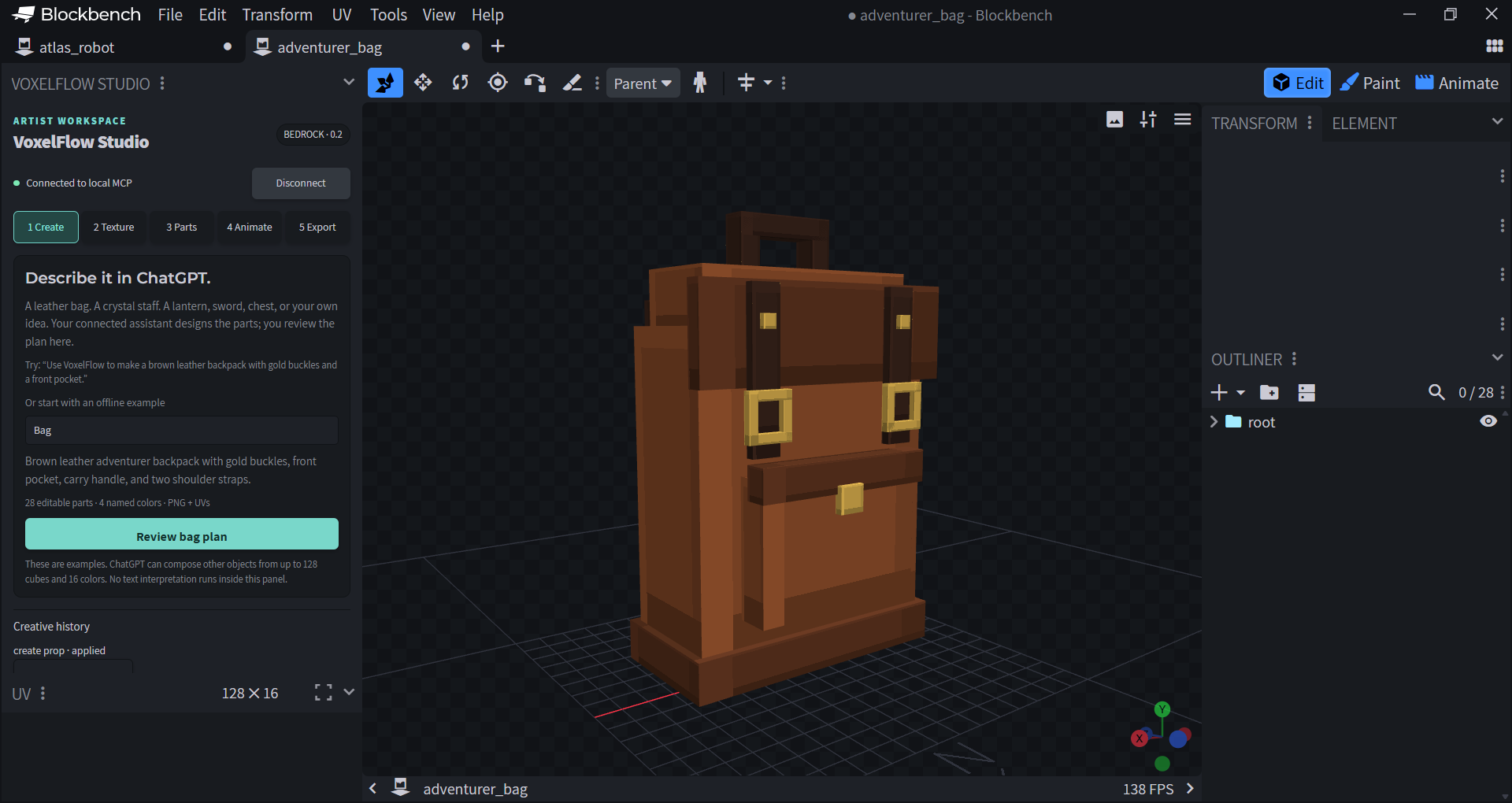
Adventurer backpack
Leather panels. Brass buckles. Room for an idea.
28 parts4 materialsStatic prop
That bag. That staff. That thing in your head.
Turn a prompt into an editable Minecraft-style model, and make every block your own.
Free & open source · Made for Blockbench
“A leather backpack, ready for adventure.”
Real sample geometry. Browser preview, not live AI generation.Start with a real example. Then take it somewhere new. Every part stays editable.
Leather panels. Brass buckles. Room for an idea.
A wooden shaft, a wrapped grip, a violet crystal.
More ideas: swords, lanterns, chests, simple furniture, and your own cube-based props.
*Idle, walk, and attack in Blockbench. Web previews show static geometry.Let the assistant handle the first building blocks. Keep the decisions that make it yours.
Give your connected ChatGPT or Codex assistant a brief: shape, colors, materials, and the little touches that matter.
Review the proposal in Blockbench before it changes the scene. Refine the parts, paint the texture, or use native Undo.
Save your editable model and export checked Bedrock resource assets. The source belongs in your workflow.
Install Blockbench desktop and Node.js. Download and extract the VoxelFlow desktop beta.
Load the Blockbench plugin, start the companion, and install VoxelFlow in a supported local AI host.
Describe your idea in chat, approve it in Blockbench, and start shaping the result.
Download VoxelFlow Studio 0.3.3.
Free to use. Open to make your own.
A desktop beta, with clear boundaries. Codex installation and the Blockbench workflow are tested. Complete ChatGPT onboarding, macOS/Linux, and Minecraft runtime behavior remain unverified. VoxelFlow is installed locally and is not yet listed in ChatGPT’s public directory. Read the compatibility notes →
VoxelFlow is an independent, MIT-licensed project. We’re building a creative tool that artists can understand, developers can extend, and a community can help shape.
Join us on GitHubShare prompts, models, textures, and what would make your creative process better.
Fix a bug, test an installation, improve the guide, or help build the next feature.
Grow from contributor to maintainer. Help us build toward shared organization ownership.
This release runs on your computer, alongside Blockbench. It needs a local desktop chat with plugin execution support. Browser-only ChatGPT cannot directly connect to this local package. A hosted version is future work.
It creates editable model and texture assets. A wearable bag, inventory item, working staff, or playable mob still needs the appropriate item, attachable, or behavior configuration and in-game testing. Resource export is a starting point for integration.
Yes. Load the plugin in Blockbench and use the Bag, Staff, or Robot examples in the Create panel. You can also download and open the sample .bbmodel files above. Custom natural-language design needs a connected AI host.
Every model part stays editable in Blockbench. Named recoloring is available through chat. Structural revisions through MCP currently create a new model copy; use Blockbench’s native tools for precise edits to individual parts.
VoxelFlow’s original code is MIT licensed, and the desktop download is free. Your chosen AI host has its own account requirements and usage terms. VoxelFlow has no built-in paid AI endpoint or separate API-key requirement for its local tools.